Sit
A plain timer for sitting
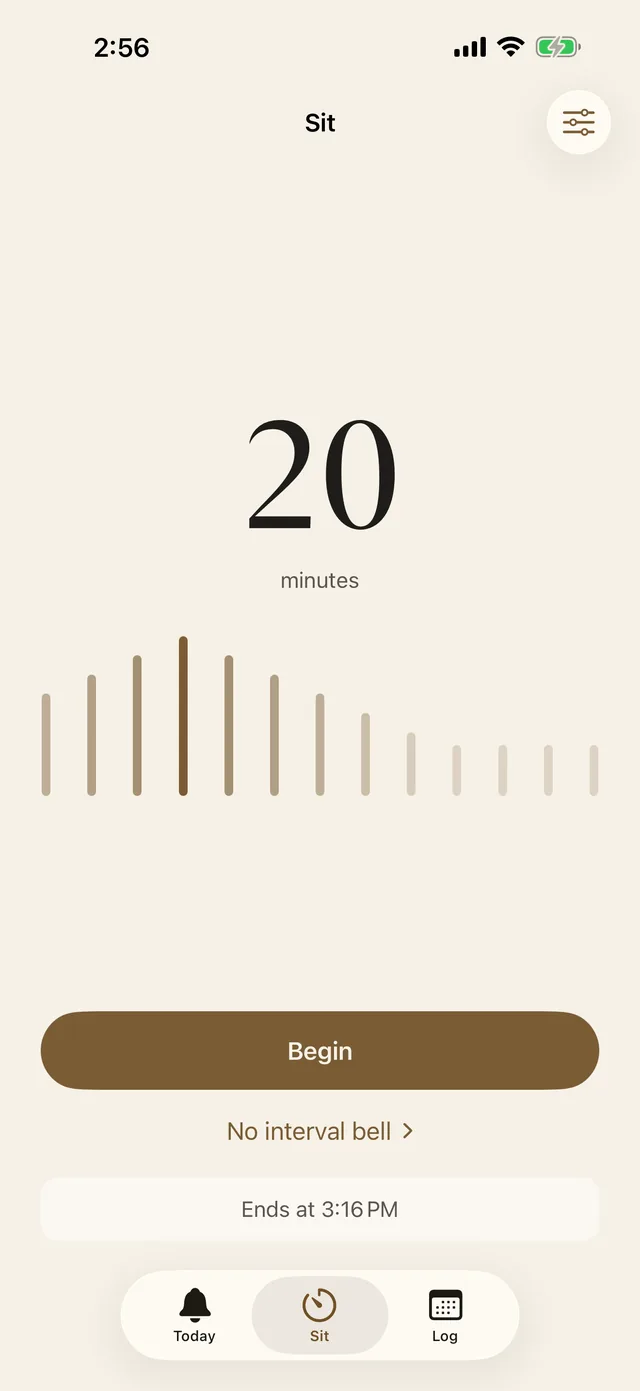
Try five minutes and tap Begin. A bell starts the sit and another ends it. You can pause a sit, then resume it, finish early or discard it. Interval bells in between come with Plus.
 Mettabell
A soft bell,
a few times a day.
A soft bell at random moments in your day, each with a phrase of loving-kindness. Stop for one breath, then carry on.

Free to download, for iPhone with iOS 17 or later
How it works
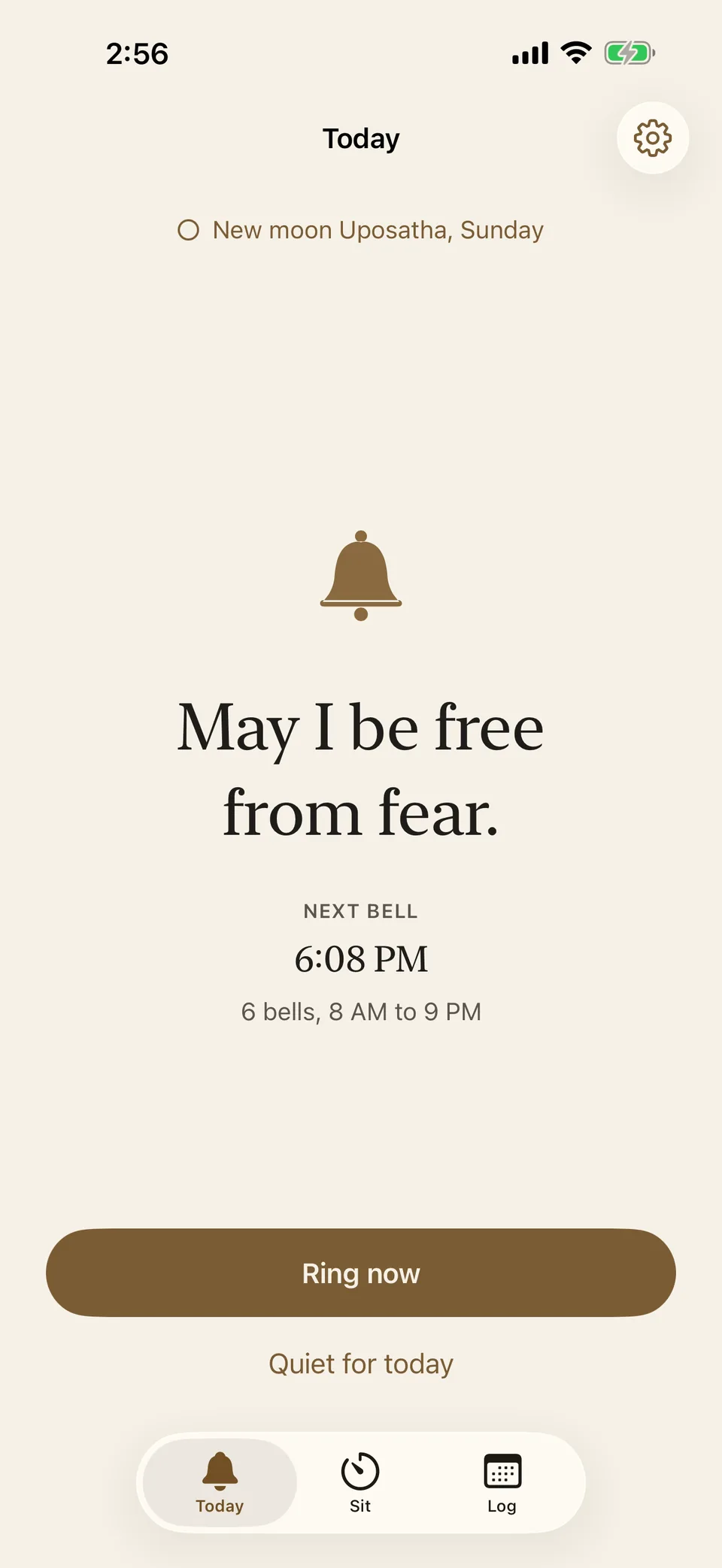
In the silent demo, the Today screen shows “May all beings be safe” and the next scheduled bell. The Sit screen shows a 20-minute session, and the Log shows past sessions in October.
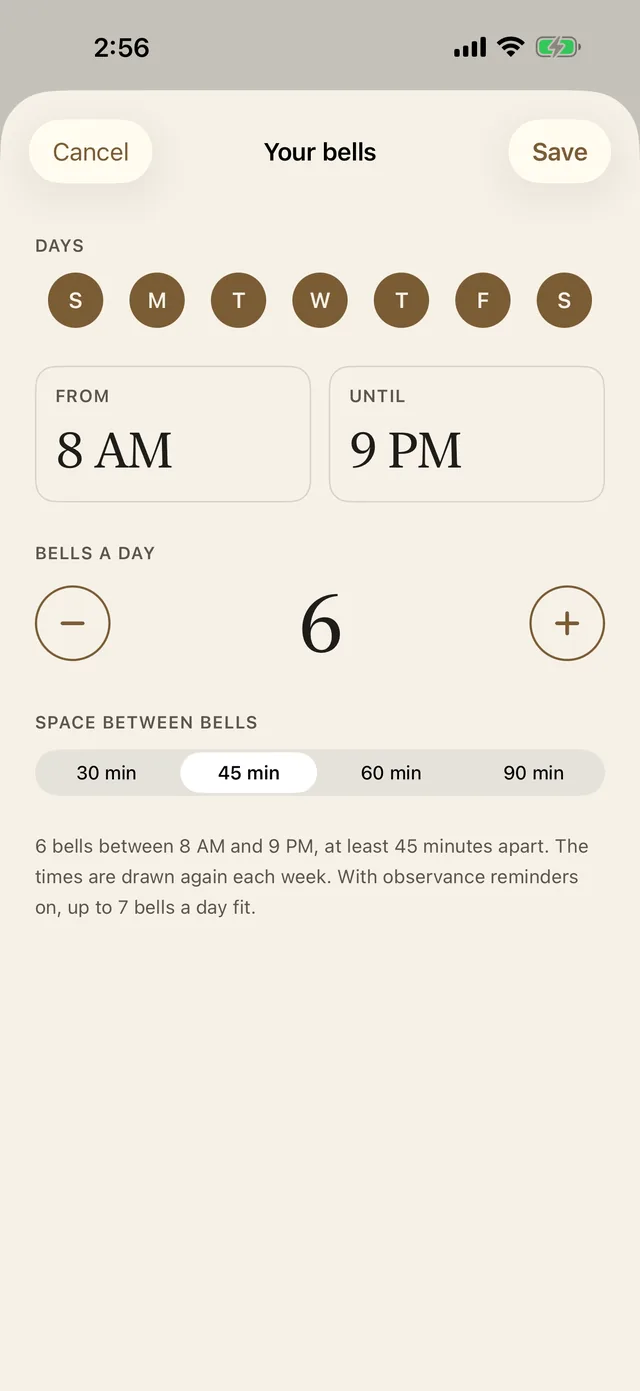
Choose a window such as 8 AM to 9 PM. Start with a few bells; you can change the number after trying a day.
Tap Allow bells and allow notifications. The first bell rings right away, with its phrase on the screen.
The rest arrive at random times, even with the phone locked. Read the phrase, take a breath and carry on when you are ready.
At a glance
The short version, including what is free and what comes with Plus.
| Price (US) | Free to download. Mettabell Plus is $2.99 a month, $19.99 a year, or $39.99 once. The yearly plan starts with a one-week free trial for eligible new subscribers. |
|---|---|
| Bells | The free plan allows 1 to 6 a day. Plus allows up to 8, or 7 while observance reminders are on. Bells are at least 30, 45, 60 or 90 minutes apart. |
| Phrases | 26 built-in phrases in 5 groups. Phrases of your own come with Plus. |
| Observance days | Thai Forest Uposatha or the six lunar fast days, free on Today and in your log, with the eight precepts for each day. Reminders come with Plus. |
| Requirements | iPhone with iOS 17 or later. The app is in English. |
| Account | None. |
| Data | Data Not Collected. Your settings, phrases and log stay on your iPhone. |
| Developer | Starry Research Labs Limited. |
| Page updated |
More on the 2026 observance dates, the eight precepts and the 26 phrases.
Bells
Bells are scheduled at random times inside the hours you set. They can arrive with the app closed and your iPhone locked. Silent mode mutes the notification sound. Whether you feel a vibration depends on your iPhone’s Haptics setting.
Change these in Your bells, from Settings or by tapping the next bell on the Today screen.
Phrases
Mettabell comes with 26 phrases in five groups. One group, For people I find difficult, starts switched off. With Plus you can also write phrases of your own, with the names of people in your life.
The built-in phrases are traditional loving-kindness phrases, written in our own words. In Settings, open Phrases to choose the groups that suit you today.
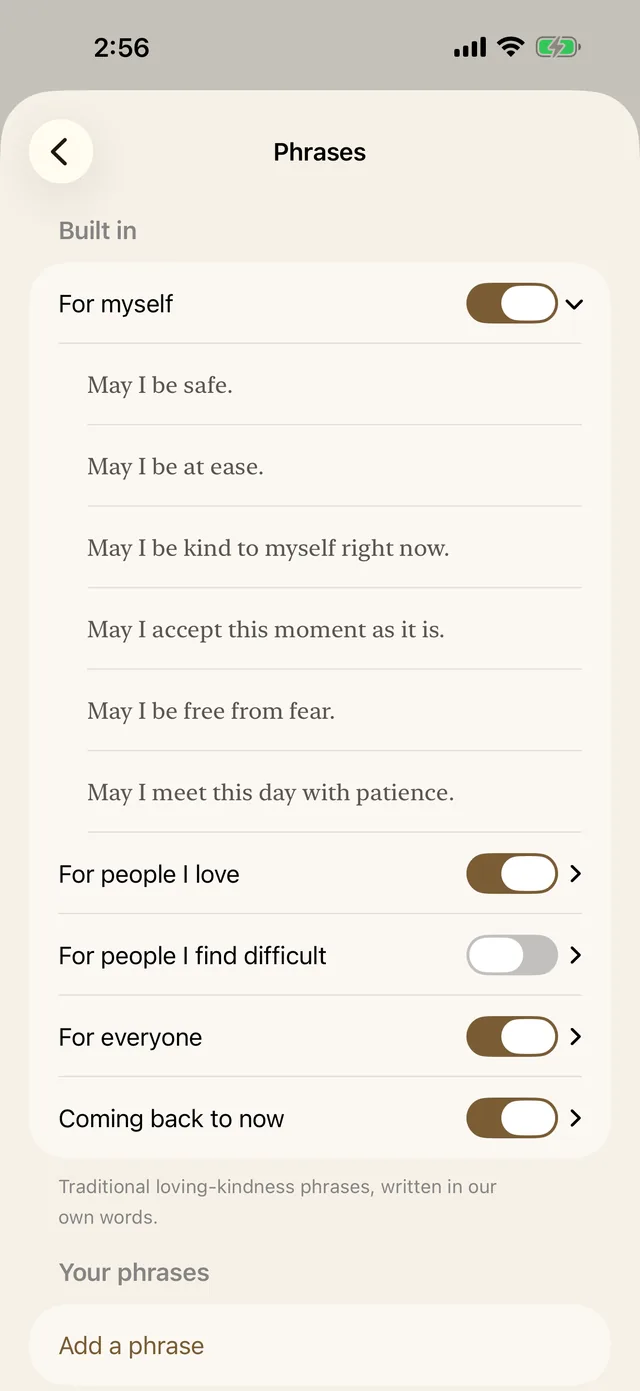
May I be safe.
May I be free from fear.
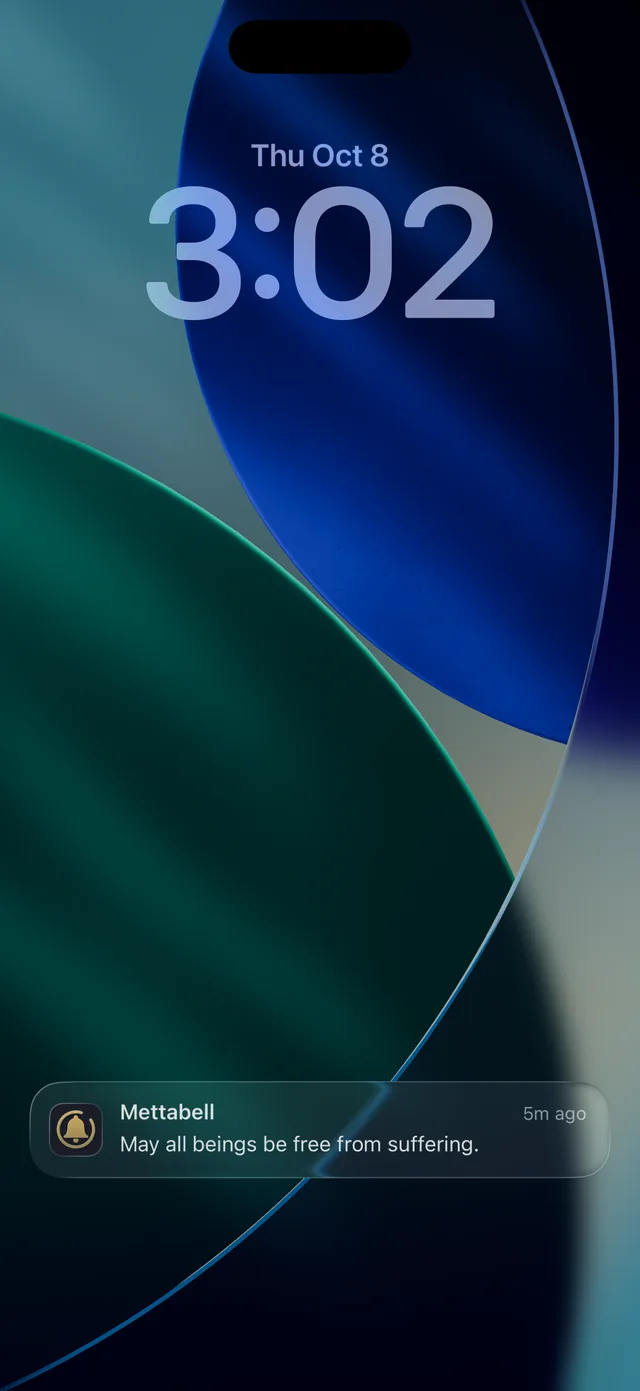
May all beings be free from suffering.
On the Lock Screen
Touch and hold a bell to see two buttons. I paused adds the pause to your log. Quiet for today stops the rest of today's bells, and they start again tomorrow. The same button is on the Today screen. Use it when you want a quieter day.
Sit
Try five minutes and tap Begin. A bell starts the sit and another ends it. You can pause a sit, then resume it, finish early or discard it. Interval bells in between come with Plus.
Log
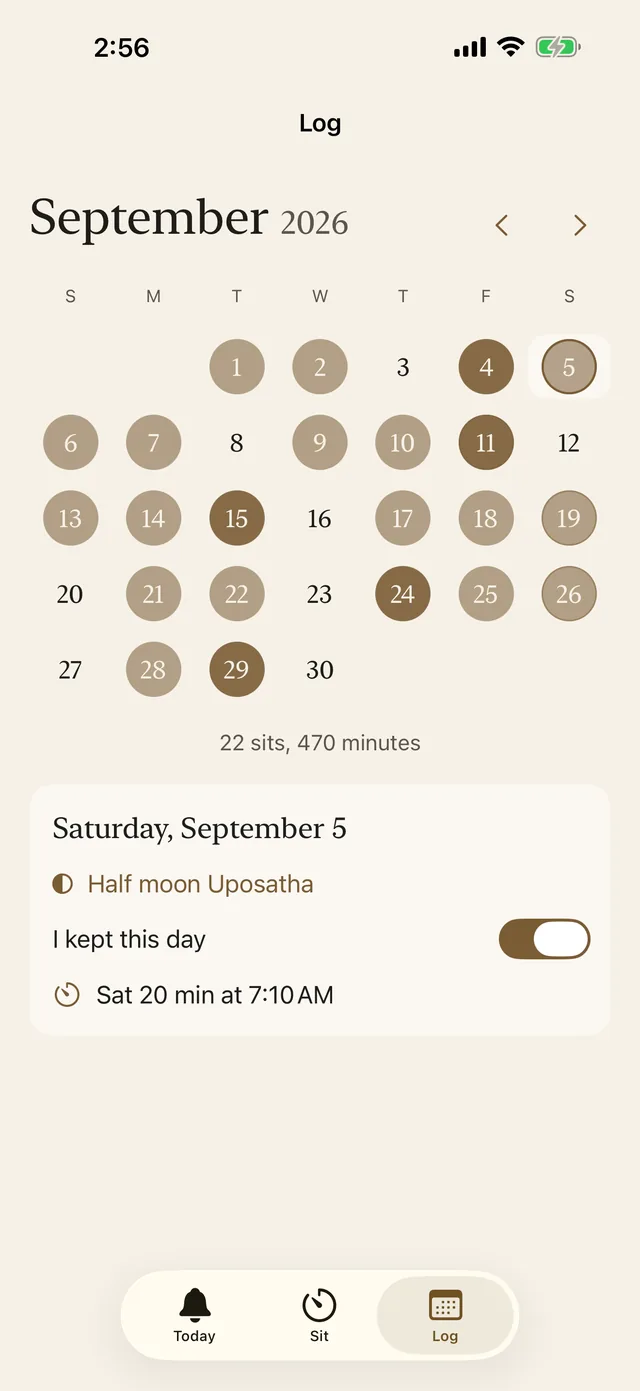
Each day you sat fills in on the calendar, darker for a longer sit, and the month's sits and minutes add up underneath. Tap a day to see how long you sat, how many bells you paused at and whether you kept the observance day. There are no streaks to break, and a day you skip stays blank. When you come back, begin with a length that fits today.
Observance days
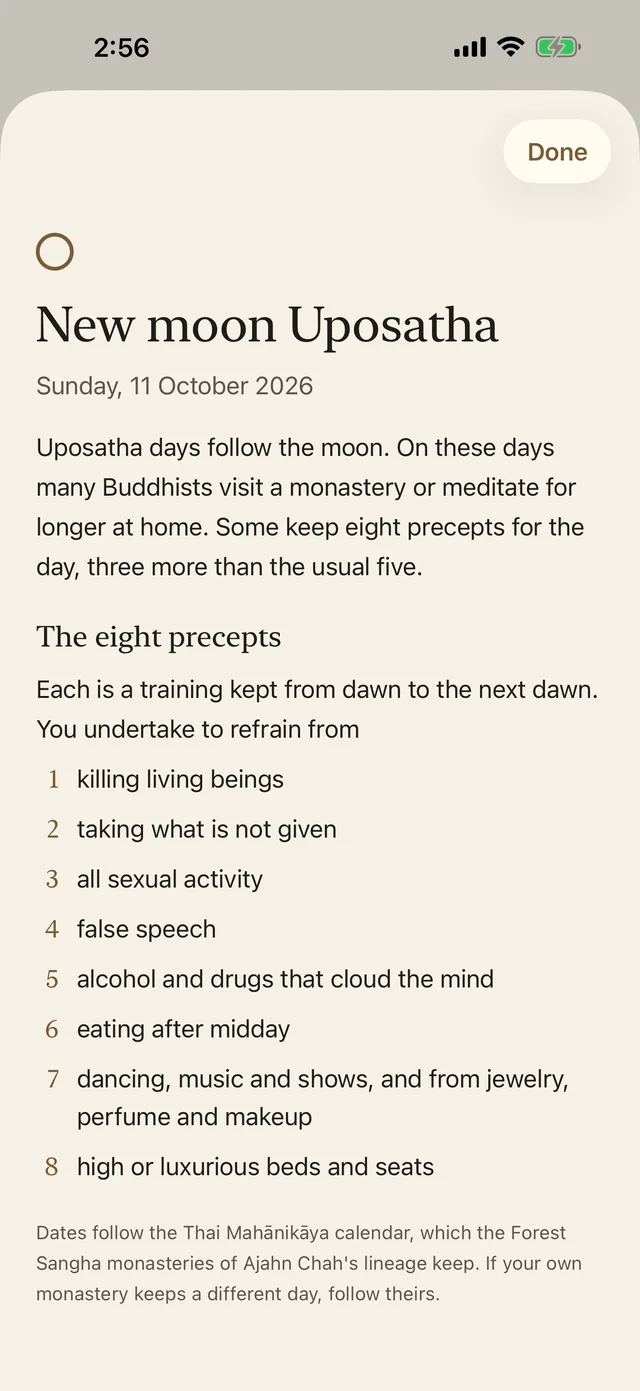
Observance days are free, on one of two calendars. Thai Forest follows the Thai Mahānikāya calendar, the dates the Forest Sangha monasteries of Ajahn Chah's lineage keep in the West. Lunar fast days are the six days of each lunar month that many Chinese and Vietnamese Buddhists keep.
The dates come from tables built into the app, checked day by day. If your own monastery or temple keeps a different day, follow theirs.
Privacy
There is no account to create. Your settings, phrases and log stay on your iPhone and are never sent to us or anyone else. Mettabell's App Store privacy label is Data Not Collected.
Questions
Mettabell is for iPhone and needs iOS 17 or later. The app is in English.
The free app rings up to six bells a day and includes the 26 phrases, the sitting timer, the log and the observance days. Plus adds observance reminders, phrases of your own, up to eight bells a day and interval bells while you sit, for $2.99 a month, $19.99 a year or $39.99 once in the US. Check the App Store for local pricing.
Bells can't ring while Mettabell is closed, and the Today screen says so. Ring now, the sitting timer and the log still work, and you can turn notifications on later in the Settings app.
A Focus such as Sleep or Do Not Disturb can silence Mettabell’s bell alerts. Check the app settings for that Focus if you want the alerts to come through.
Open Settings in Mettabell and tap Delete all my data. Deleting the app also removes everything it stored.
More answers on the Support page, and longer notes on the Learn page.
A free mindfulness bell for iPhone with iOS 17 or later. Choose a few bells for tomorrow, or open Sit for five minutes today.